Skip to content
Feature

Time tracking your team will actually use

One-click timers and two-second manual entries. Hours land cleanly against projects and clients — ready for billing and reporting.

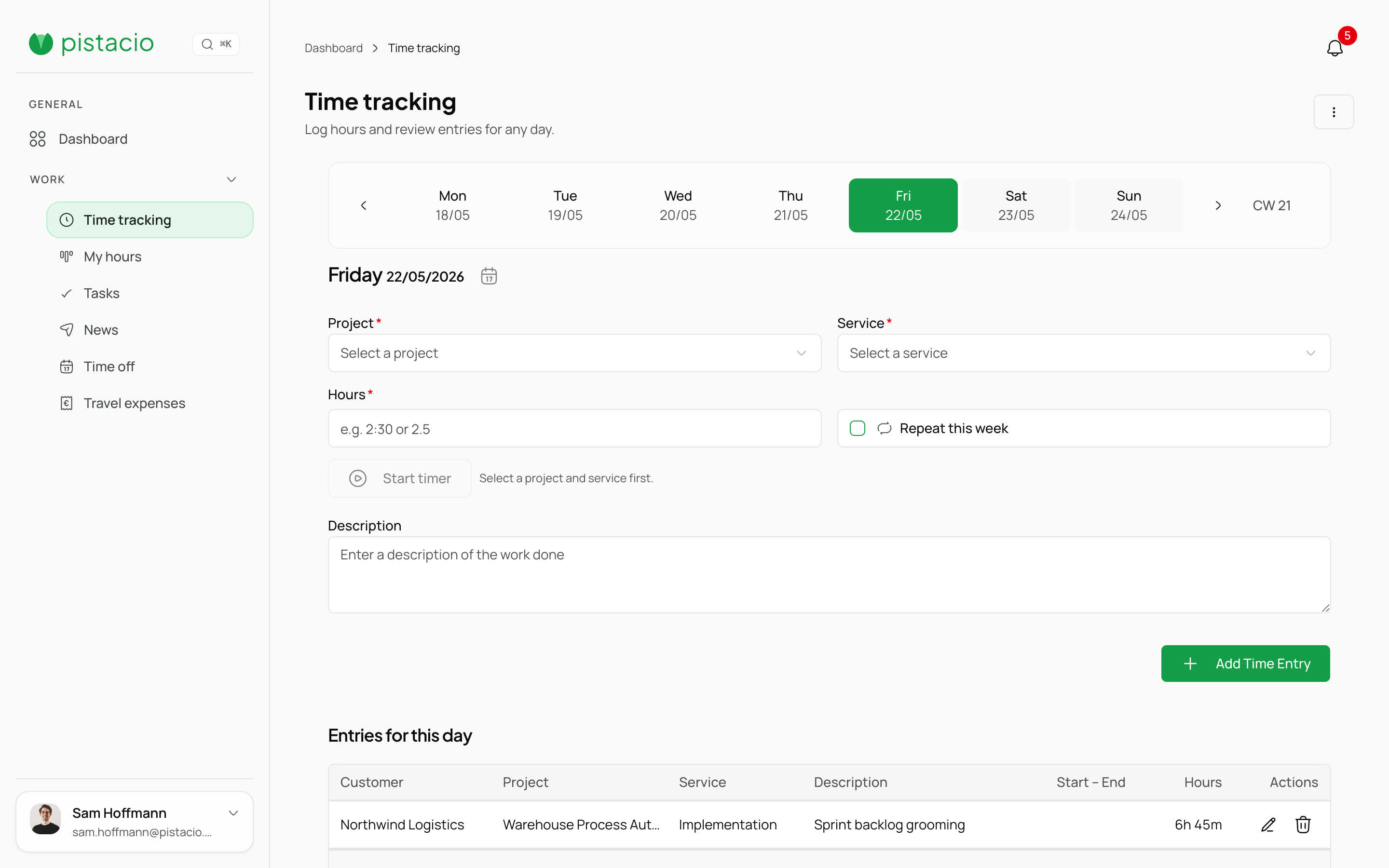
Time-tracking view with project selection, entries, and team context.

Frictionless capture

Keyboard shortcut or mobile timer. No more forgotten entries.

Accurate attribution

Every hour belongs to a project, client, and task.

Weekly approvals

Managers review and approve a whole week in one pass.

Billing-ready exports

Clean exports for accounting and payroll — zero rework.

How it works

How it works

  1. Start a timer or add an entry

    Via shortcut, app, or browser. Pistacio remembers your recent projects.

    Time-tracking view with project selection, entries, and team context.
  2. Review and tidy

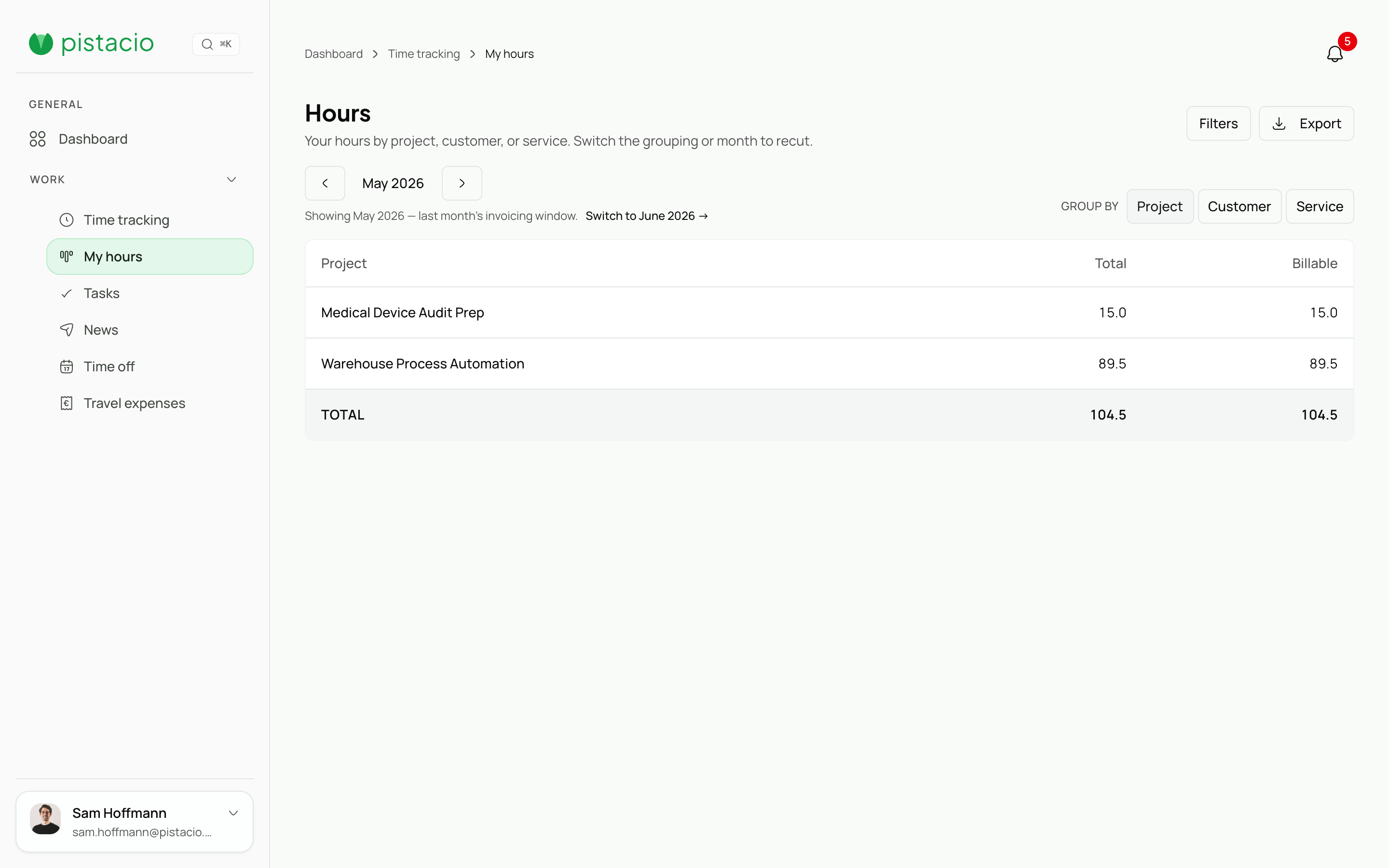
    The weekly view surfaces gaps, overtime, and non-billable time at a glance.

    My reports view with personal metrics and periodic performance summaries.
  3. Approve & export

    Hours move through approval, then export to DATEV, CSV, or Excel.

Feature

What's inside

Weekly approval workflow

Managers see every entry on a per-team week and approve in one batch.

Idle detection

Inactivity is flagged for confirmation before it counts as worked time.

Multi-currency

Hours capture in project currency and convert correctly.

Live project budget

Burned hours vs. budget — visible to lead and client.

Features

One feature, every role

Pistacio adapts to the role — from admin to team member — so the same feature serves different people in different ways.

Admin

Full control over billing, organization settings, and user management.

  • Organization-wide settings and billing
  • User provisioning and role assignment
  • Custom fields and workflow configuration
  • Audit logs and governance exports
  • API access and integrations

Manager

Oversee projects, approve timesheets and leave, and monitor team performance.

  • Project dashboards with budget tracking
  • Timesheet approval workflows
  • Leave request management
  • Team utilization and capacity reports
  • Client-facing project summaries

Team Member

Log time, submit expenses, manage tasks, and request time off — fast.

  • One-click time tracking with project picker
  • Expense submission with receipt upload
  • Personal task board and deadlines
  • Leave balance and request history
  • Weekly timesheet overview

Join the open beta—free while we learn with you

Sign up